I'm writing using a translator. There could be a lot of mistranslation.
Before going into the guide, there are a few things you need to prepare. I know that mac does not work, so mac users should use programs such as Parallels.
Program Setting
1. Audacity (You have to install the 32-bit version to make the plugin work normally.)
It's used to process sound. It's for free!
https://www.audacityteam.org/download/
Audacity ® | Downloads
Download Audacity for Windows, macOS and Linux
www.audacityteam.org
2. Vocalizer
It is essential when making vowel pronunciation.
https://www.a-quest.com/products/vocalizer_en.html
Vocalizer - human voice filter VST plug-in
⚠ Notice: Support for this product ended on May 31, 2022. to Japanese Vocalizer - human voice filter VST plug-in You can convert any sound into human-voice-like sound with Vocalizer ! and…It's free ! You may regard Vocalizer as "voice synthesizer", "vo
www.a-quest.com
If you have downloaded both programs, please insert the Vocalizer.dll file in the plugin folder within the Audacity program folder.

If you run the Audacity program, you can see that Vocalizer has been added to the effect column. This is the end of the program setting, and please bring whatever sound you want.
Principle of pronunciation of Inanimate UTAU
Basically, the core of the pronunciation of Inanimate UTAU is the vowel. There are a, e, i, o, u, and additionally n(Japanese consonants), which is the consonant ending. Double vowels such as ya and wa occur from a, e, i, o, u, and if you add consonants naturally in front of them, UTAU can pronounce them.
To tell you in advance, this guide is based on the production of a Japanese voice bank, so it's hard to answer if you ask me about how to make pronunciation of English or Chinese...! I only make Japanese voicebanks.
This is what it looks like with a image.
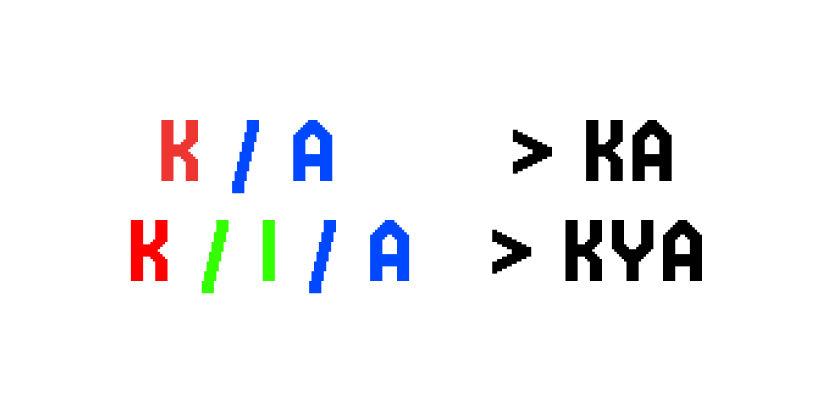
The pronunciation of 'ka' is made by adding a 'k' consonant before the vowel of 'a', and the pronunciation of 'ka' is made by adding a 'k' consonant before the double vowel 'ya' made by combining 'i' and 'a'.
Making Vowel pronunciations
First, bring the sound you want to Audacity. First of all, I'll explain it using the sound source from 'KINE', the voice bank I made before. I recorded the sound myself, and if it's difficult to record the sound myself, you can process the copyright-free sound source.
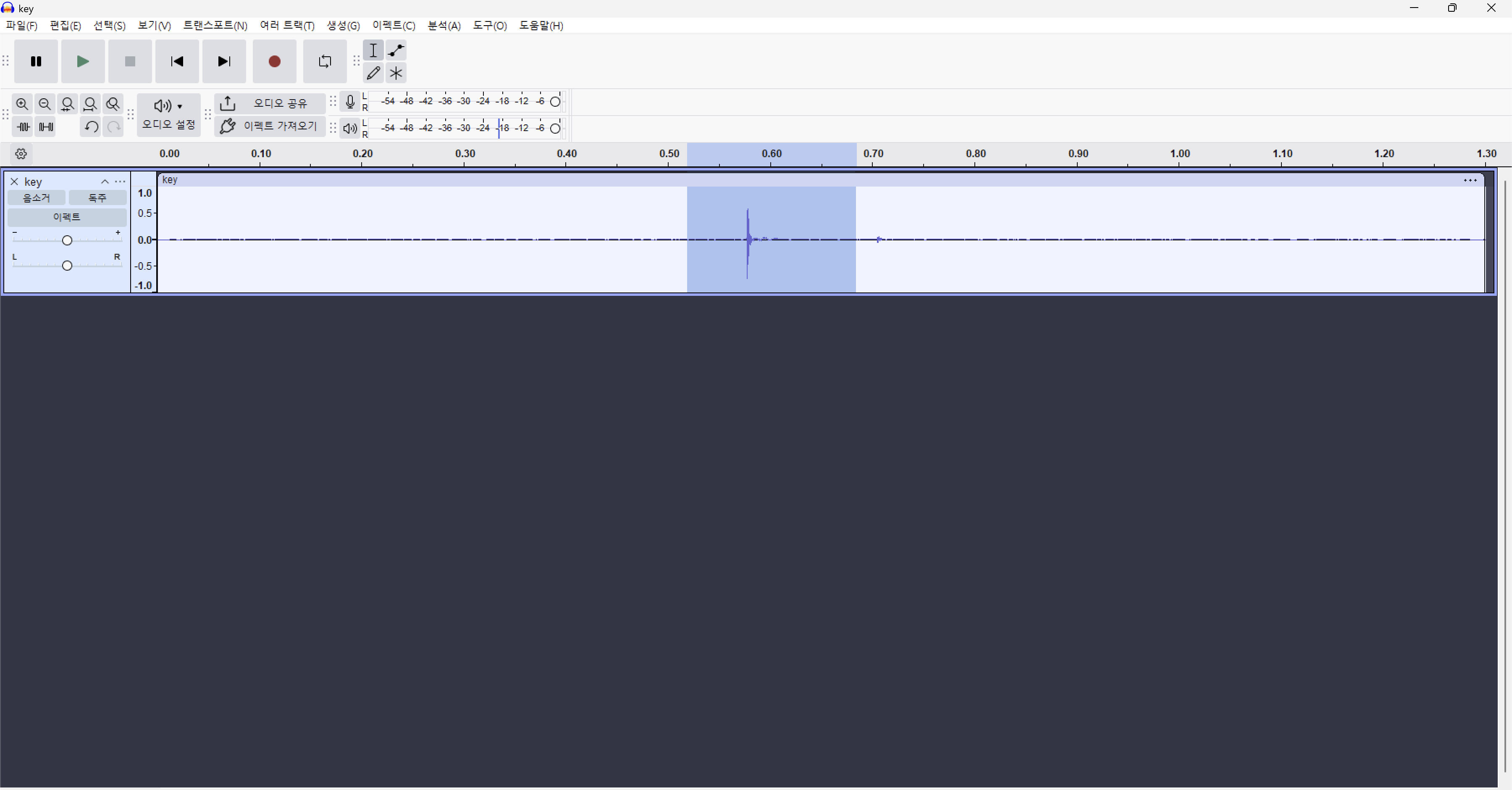
Now, I'm going to make a sound by cutting it into very small pieces and repeating it a lot.
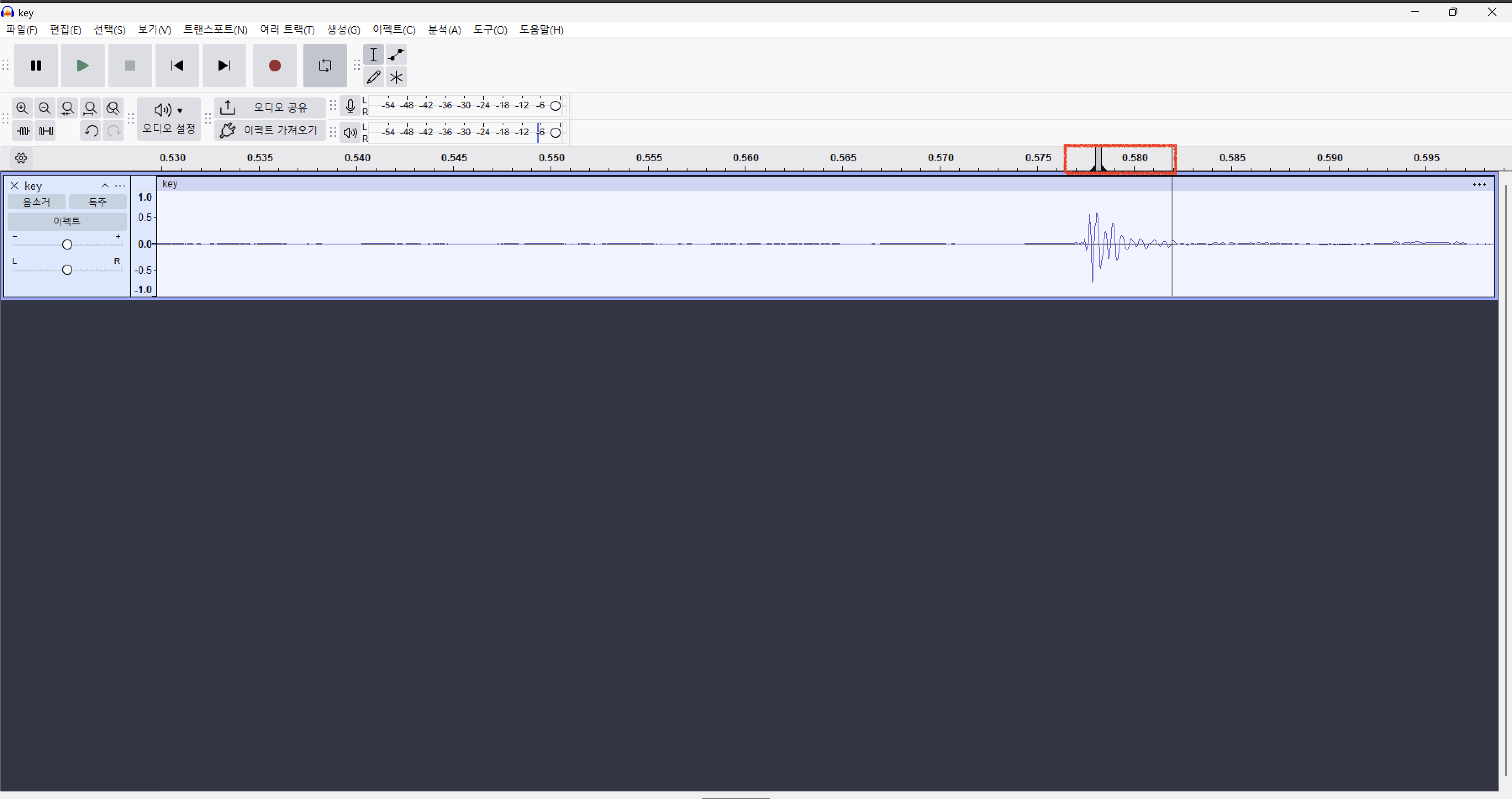
You can zoom in to Ctrl+scroll. Now you can drag it from the bar above to set the range where the sound repeats, which is called the looping. With looping enabled, press the space bar to hear the sound in advance.
VIDEO:: How to loop
https://youtu.be/hRTZLSJsvUU
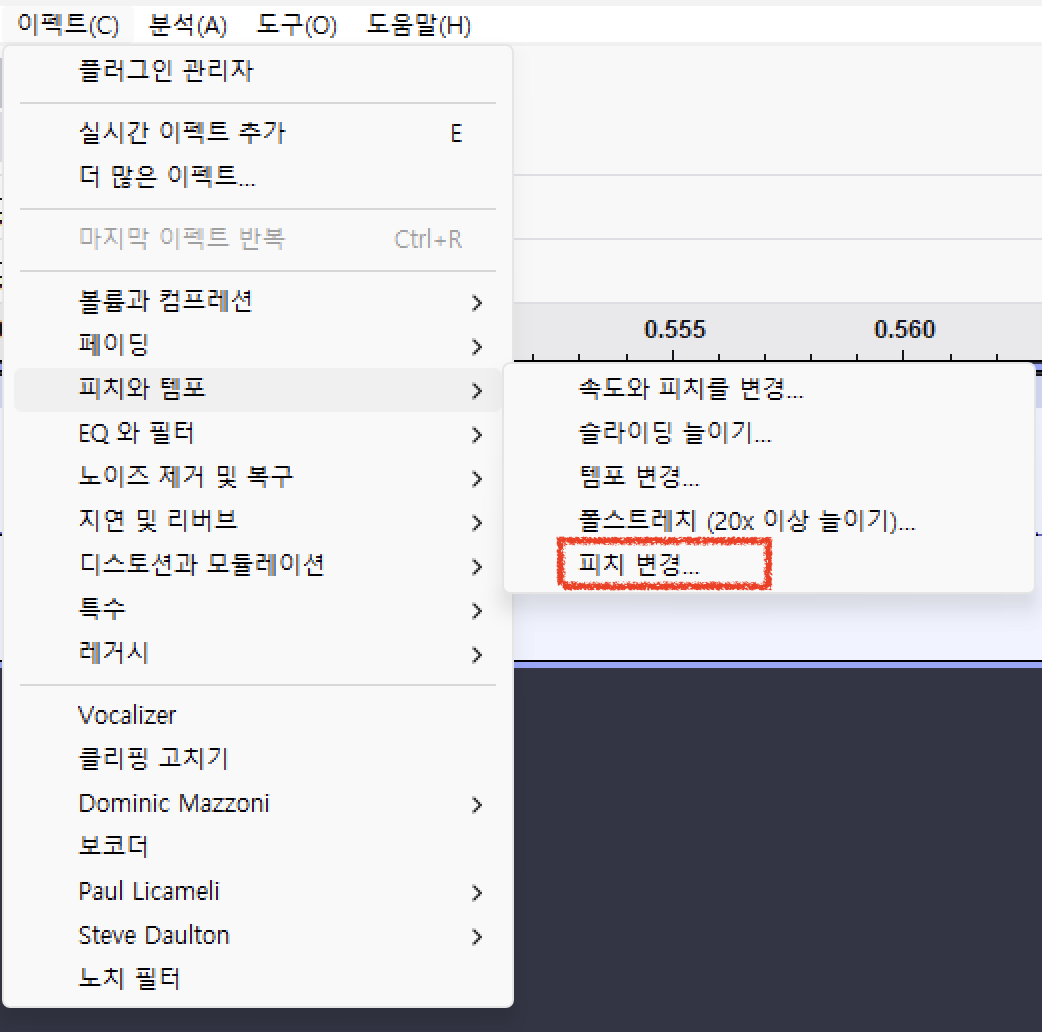
If you think the sound is too high at this time (when a male voice bank makes a low tone female voice bank, but please adjust it because the sound range is basically very high), please activate the pitch change function at the top > pitch and tempo.

In the plugin window, move the bottom bar to process the sound until you get the desired range. You can also check how low and high the sound goes through the preview button at the bottom. This process can be applied after you have created vowels, so adjust the pitch until you hear the voice you want. You don't have to control it too carefully!
Here's my voicebank's pre-collection sound.
Now I'm going to make vowel pronunciation with this. Through the Vocalizer I installed earlier! Please select Vocalizer in the effect column.
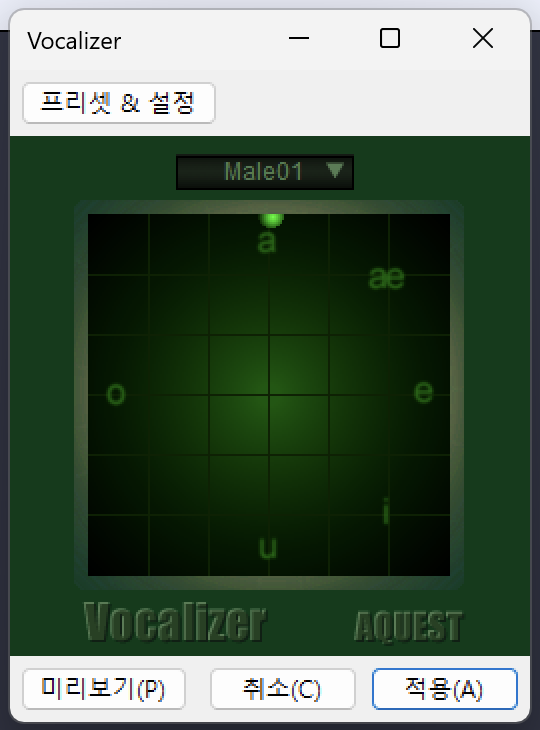
The Male 01/Female01 option at the top allows you to adjust the huskyness of your voicebank. You can create a sound similar to each pronunciation by shifting the dots closer to the vertices of each pronunciation. If you can't hear the correct pronunciation after applying it once, you can apply it multiple times. In the process of making vowel pronunciation, the sound can become too loud or too low, and I'll explain this later, so please make your pronunciation easier for now.
I'll give you an example of the pronunciation of my voice bank that's been processed.
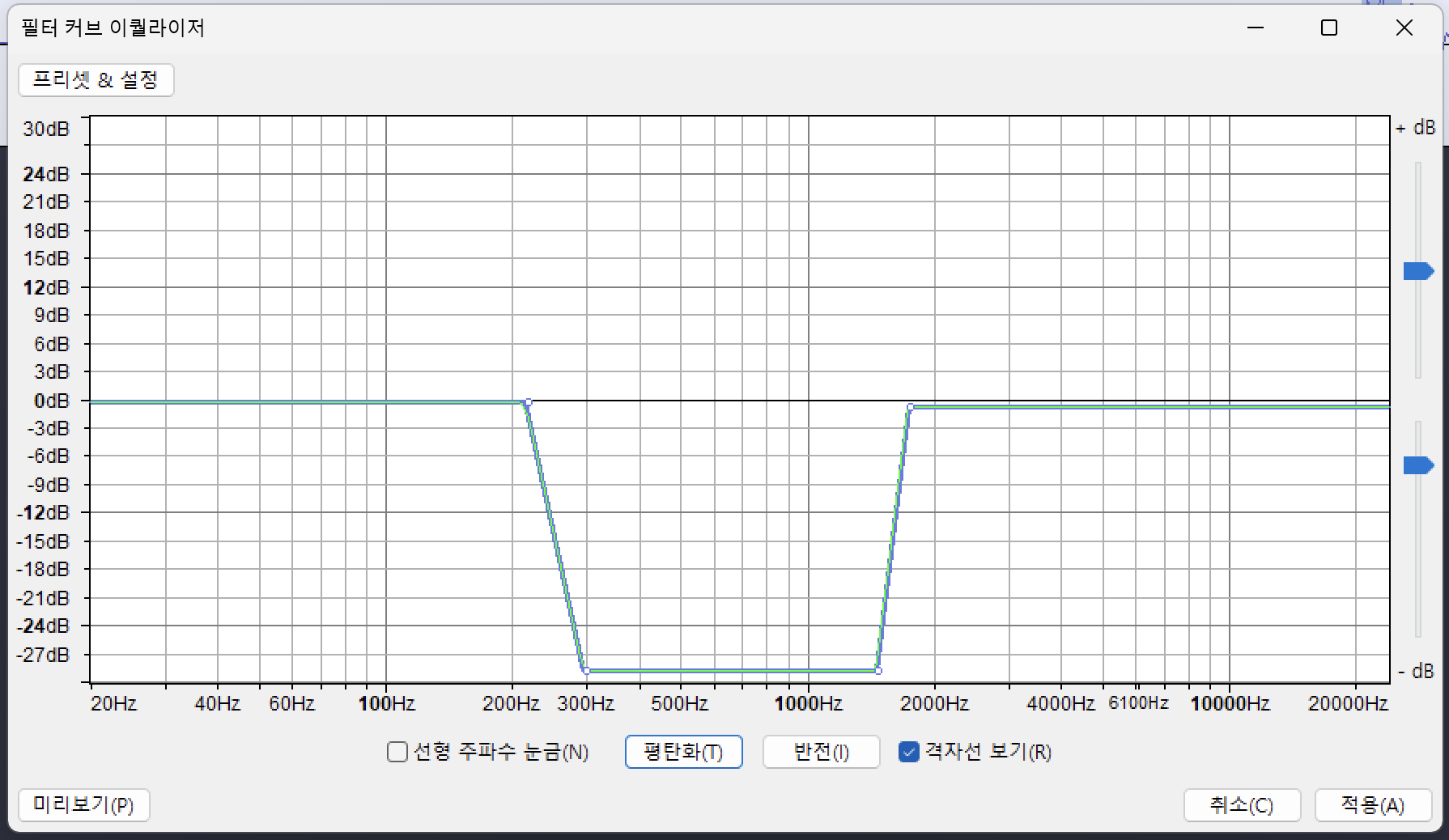
Now you have to make an n pronunciation, but the way to make an n pronunciation is simple. You can make it easy by making u pronunciation first and adjusting the EQ value. If you choose Effect > EQ and Filter > Filter Curve Equalizer, and EQ similar to the attached one, it sounds similar to the n pronunciation.
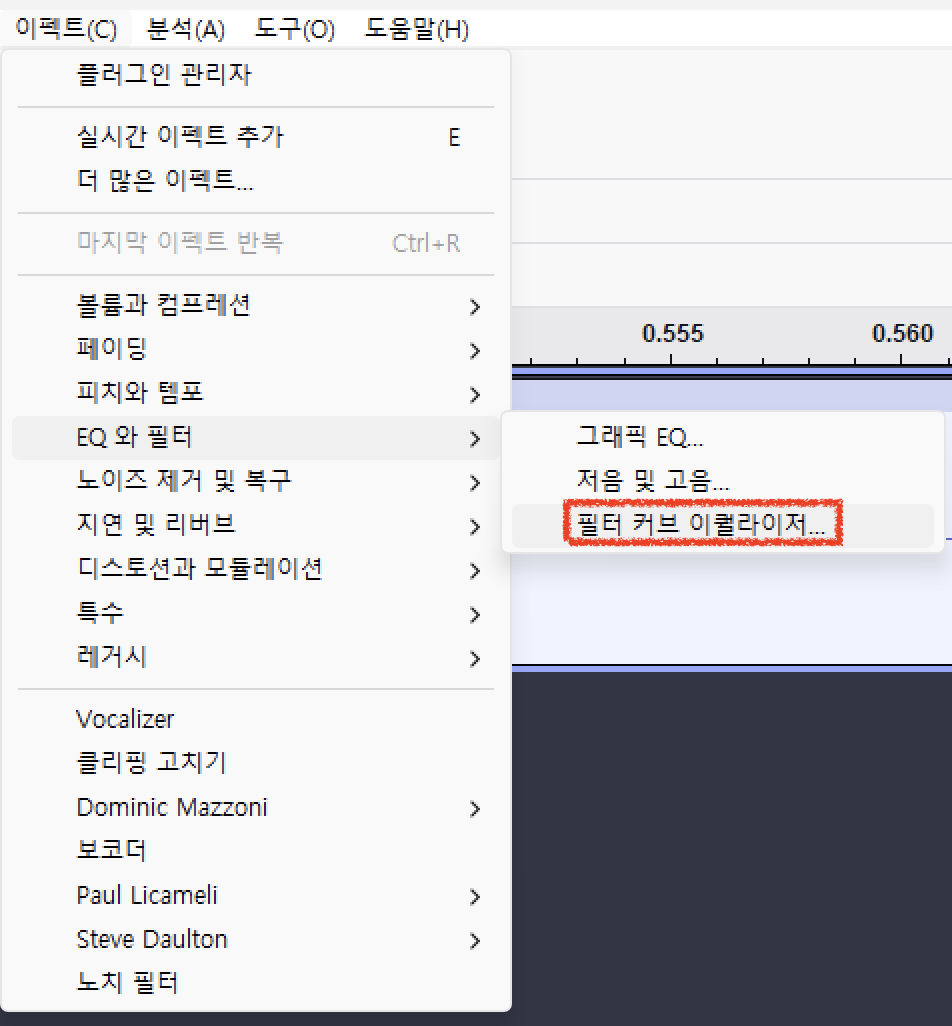
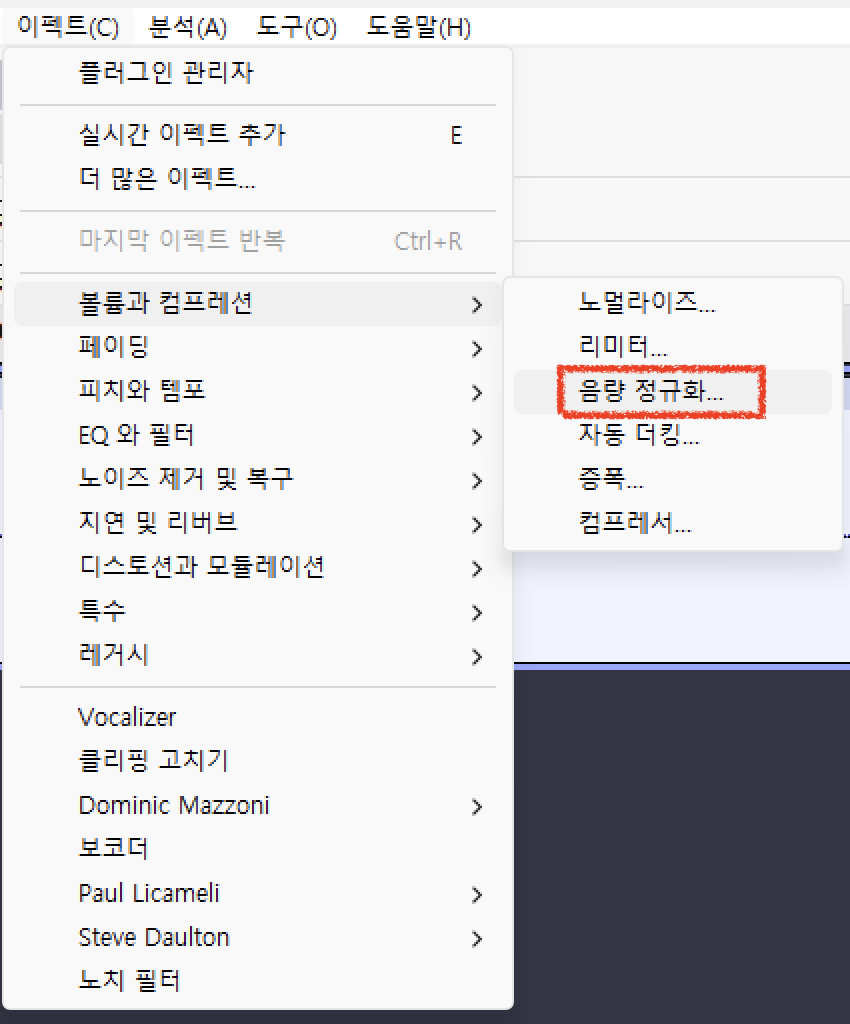
Oh, and it's about volume, and you can adjust the sound of all vowels to a consistent degree with the option Effect > Volume and Compression > Volume Normalization. You can select all tracks with Ctrl+A and then hang it.
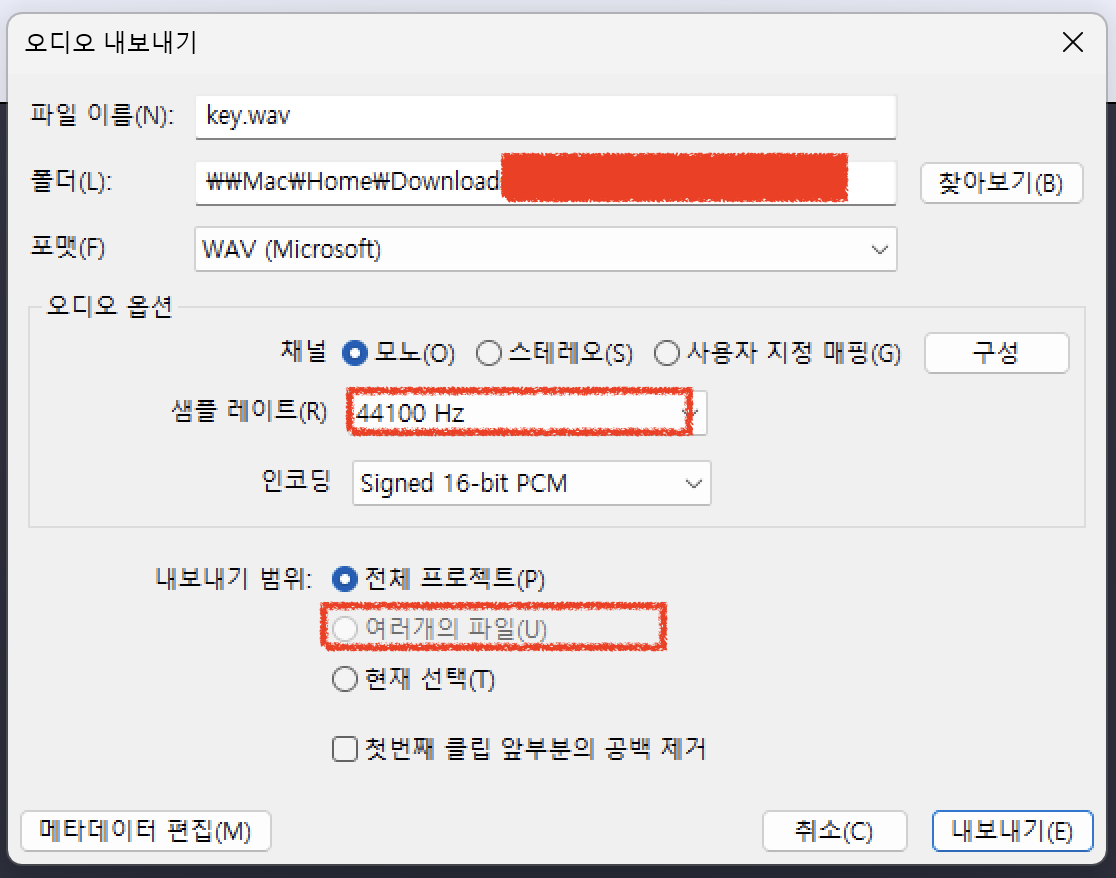
Oh, when you export vowel pronunciation, you must set the sample rate to 44100 to make the sound properly.
Making Consonants
Actually, there's nothing really like a guide, you just have to cut some of it from the sound and make it sound like a certain pronunciation. But this was really hard for me when I first made Inanimate UTAU. But... in the Korean UTAU community, a tool has been developed to create Inanimate UTAU by simply making vowels! You can buy it for about 6,000 won in Korean money, so I'll leave a link.
How to use the program is listed in the corresponding post. I'll end the writing here!
(I didn't make it, and I'm also using it.)
https://posty.pe/9dg2gc
무생물 우타우 자모 결합툴 / 촙타우러식 자음셋 배포: 두근두근 촙타러의 우타우 채널
0, 버전 로그 1.0 : 배포 시작 1.1 : oto.ini의 원설 관련 문제점 수정 2.0 : 기능을 대거 추가한 촙툴 2.0 릴리즈!!!(New!!) 2.1 : oto.ini 중복파일 처리 오류 수정 / 공백 제거기능 추가 1, 시작에 앞서 처음으
www.postype.com

Comments